

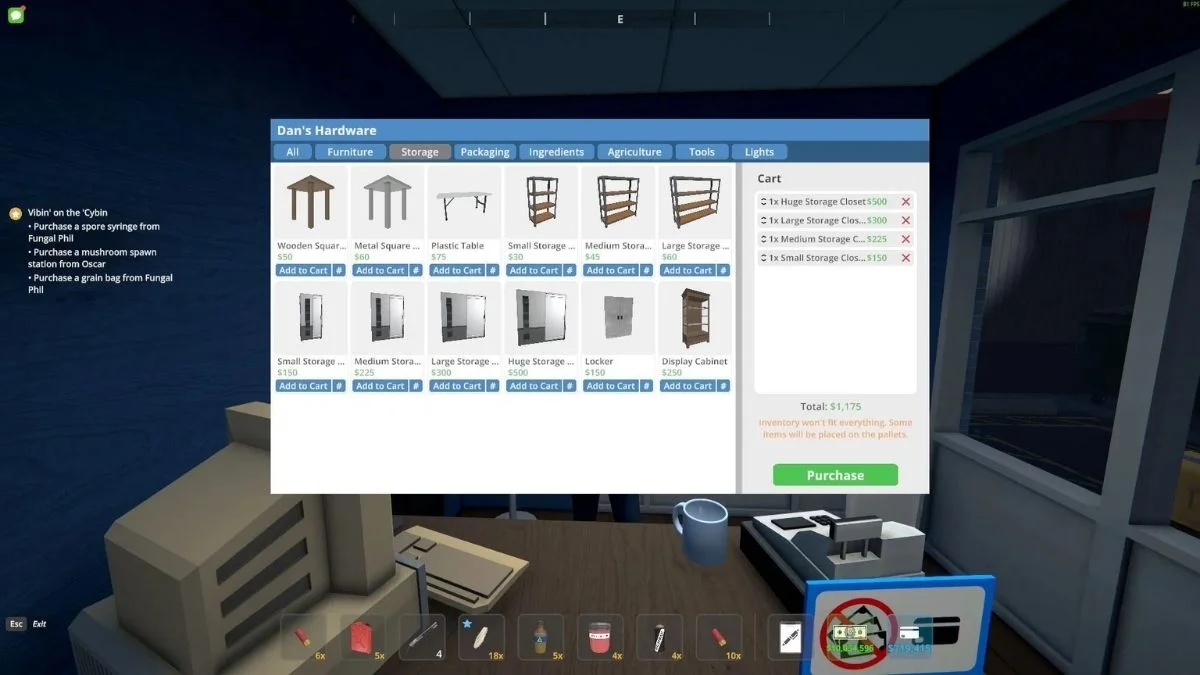
The Storage Closet is one of the most helpful items added to Schedule 1 with the v0.4.3 update. If your warehouse feels crowded or hard to manage, this feature can make a big difference. Storage Closets work like the old storage racks, but they look cleaner and can hold more items, especially in the bigger sizes.
This guide explains how to get a Storage Closet, how much each one costs, and how to use it the right way.
How To Get Storage Closets In Schedule 1
You can find Storage Closets in any hardware store in the game. Before they appear in the shop, you need to reach the Bagman I rank. Once you unlock them, you can choose from different sizes based on how much space you have and how many items you want to store.
Here are the prices for each size:
- Small Storage Closet: $150
- Medium Storage Closet: $225
- Large Storage Closet: $300
- Huge Storage Closet: $500
If you are just starting, the small or medium size works well. For big warehouses or late-game setups, the large or huge option is much better.
How to Place and Use a Storage Closet
After buying a Storage Closet, equip it in one of your inventory slots. Go to the spot where you want to place it and left click to set it down. Make sure the area is clear, because the larger closets take up more floor space.
To open the closet, walk close to it and press E. You can then move items from your inventory into the closet by dragging and dropping them. You can also take items out anytime you need them.
Here is how many slots each size gives you:
- Small Storage Closet: 6 slots
- Medium Storage Closet: 8 slots
- Large Storage Closet: 12 slots
- Huge Storage Closet: 20 slots
Why Storage Closets Are Better Than Racks
Storage Closets help keep your warehouse neat and easy to manage. They make it faster to find items, especially when you start dealing with large amounts of stock. The bigger sizes are perfect for players who own large properties and want a clean and professional setup.
Also Read: PMGO 2026 Season 1: Dates, Slots, And New Format Revealed
