

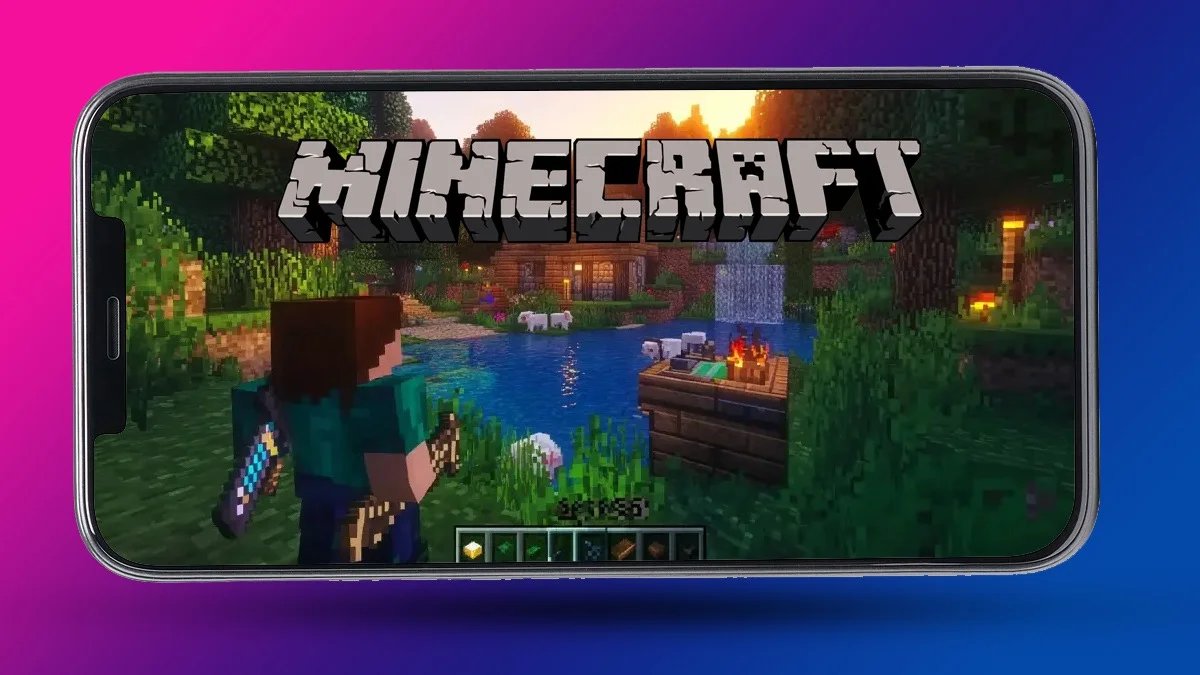
If you love Minecraft’s original style but wish it looked a little more detailed and polished, the Stay True texture pack is exactly what you need. This texture pack keeps the game’s classic design but gives it a cleaner, sharper, and more natural look. It’s like giving Minecraft a visual upgrade without changing what makes it special.
What Makes the Stay True Texture Pack Special
The Stay True texture pack improves almost every texture in Minecraft, but in a very smart way. It doesn’t change how things look completely it just makes them feel more real and connected. Grass blends better with dirt, trees have richer shades, and stone patterns look smoother and more natural. Everything still feels like Minecraft, just more alive.
Another great part of this pack is the connected textures feature. Blocks like glass, leaves, and bricks connect seamlessly, giving your builds a more complete look. You’ll also notice soft color transitions, detailed foliage, and improved lighting that make your worlds look fresh.
For the best results, it’s recommended to use OptiFine, as it helps unlock advanced visuals like overlays, pink birch leaves, and smoother edges. While the pack works on its own, OptiFine makes it shine even more.
How to Download and Install the Stay True Texture Pack
Installing the pack is easy and takes just a few minutes. Follow these steps to enjoy your new look:
- Download the Minecraft Stay True texture pack (make sure it matches your game version, up to 1.21.5).
- Open Minecraft and click on Options from the home screen.
- Go to Resource Packs and click Open Pack Folder.
- Drag and drop the Stay True ZIP file into this folder. Do not unzip it.
- Go back to Minecraft, find “Stay True” in your available packs list, and move it to the Selected section.
- Make sure it’s above the default Minecraft pack so its textures show correctly.
- Click Done, load your world, and you’re ready to play with your new visual setup.
That’s it. You’ll instantly notice the difference once you start exploring.
Features You’ll Love
The Stay True texture pack doesn’t just make things prettier it also keeps them familiar. Here are some standout improvements:
- Enhanced detail for grass, leaves, and trees
- More natural blending between biomes
- Connected textures for smoother builds
- Improved colors and lighting
- Optional pink birch leaves and overlay effects
- Works perfectly with OptiFine for extra features
You can even adjust leaf colors or shades by editing the OptiFine settings. This gives you full control over how your world looks, whether you prefer bright green jungles or autumn-style forests.
Also Read: Who Is The Best PUBG Mobile Player In SEA Right Now?
