

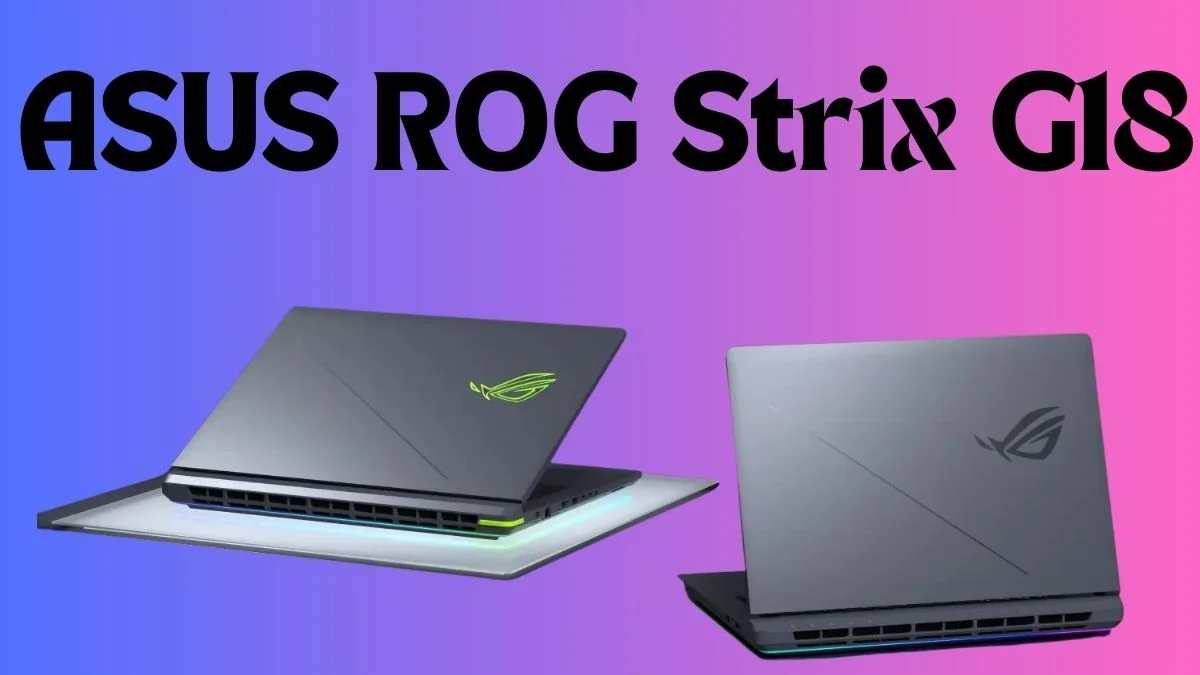
Currently, my age is 25, and over the last 8 years of gaming, I have used many laptops for my gaming; basically, I play only GTA V, PUBG PC and some two or three normal games like Valorant and Apex Legends. For that gaming, I kept buying cheap laptops and PCs. Every single one of them struggled to run games properly. I was always lowering settings, dealing with lag, watching frames drop. It was just normal for me at that point.
Then I decided enough was enough and got my first proper gaming laptop. I spent months looking around online, checking Amazon, reading reviews, and watching videos. I knew what I wanted: a big screen, a backlit keyboard, and a real GPU. I travel a lot for work; I do pet and house sitting full-time, so it had to be something I could carry around with me. Battery life was not really on my list because I knew I would always be near a plug. Anyway, I found what I was looking for and I have not looked back since.
The screen
18 inches. I have not once thought about plugging in a second monitor. It is bright, colours look great, and the refresh rate is smooth. The metal shell on the outside has taken plenty of knocks while I have been moving from house to house and it still looks fine.
One thing I will say is it has both AMD and Nvidia settings for the display and when you run both at the same time, the colours get a bit weird. Just let one of them handle it. Pick one and leave it alone.
Games and GPU
I play a lot of stuff. FFXIV, Cyberpunk 2077, GTA5, Halo, Age of Empires, League of Legends, Star Wars Battlefront II and more. These are not light games. On my old machines I was always dropping settings just to get them running at all.
On this laptop with the Nvidia 5060, everything runs on max settings at 1440p. No stuttering, no tearing, nothing. Just smooth gameplay. Cyberpunk sits around 80fps at 1440p, which is honestly fine. Drop to 1080p and you are looking at 240fps and above on ultra settings across pretty much everything. With DLSS4 switched on, it just gets better.
The heat and software situation
This is the thing people argue about the most with this laptop and now I understand why.
It comes with an app called Armoury Crate. If you leave it running in performance mode and do nothing, your CPU will just sit there at around 75 degrees doing absolutely nothing. That app is eating CPU cycles in the background for no good reason.
Delete it. Install G-Helper instead. Your CPU will idle at 55 degrees in performance mode without even needing a cooling pad. That is a massive difference and it costs you nothing.
I also run Linux on this machine, and the same thing happens: it idles at 55 degrees with no extra apps or tweaking needed. The only issue I ran into with Linux is a keyboard stutter problem on certain setups but plugging in a USB keyboard fixes it straight away.
Storage
It came with 1TB built in. There was an empty slot inside, so I threw in a 2TB 2-drive bay. One runs Windows, one runs Linux. Just make sure you get the right size drive for this board, which is 2280. It fits right under the CPU and there is a thermal strip in there already waiting for it.
How tough is it
I pack this thing up constantly. It goes in a bag, gets carried around, and gets bumped. Nothing has broken, nothing has come loose. Even the power cable is holding up after being coiled and uncoiled every single day. The back of the lid, I am not sure if it is steel or aluminium but I have accidentally left a drink on it more than once and it never leaves a mark. Not recommending that obviously but good to know.
How fast is it
I ran some benchmarks and this thing sits above the 90th percentile compared to other workstation machines. The CPU is an AMD Ryzen 9 8940x, with 16 cores and 32 threads. The Amazon listing says ‘7940x’, but mine came with the ‘8940x’. It beats a lot of the Ryzen 9 lineup, including some of the X3D chips.
I have been running BOINC on it in the background to donate processing power to science projects and picked up a bit of crypto on the side. Reached rank 2 for newcomers in about a month. Even at full load in turbo mode it only hits 95 degrees, which I think means I got a good thermal paste job out of the factory. Three months in and temps have not moved. I will check back in a year.
For everyday stuff, you do not even need performance mode. Silent mode handles browsing, work, video and light tasks just fine and keeps things quiet. Bump it up to performance mode for gaming and you get around 80 per cent of the full power with fans you can barely hear. Turbo mode is full everything: loud fans and full speed. You will need to turn your volume up a bit over the fan noise but it is worth it.
Sound
Four speakers. Two on top, two hidden underneath. When the laptop is on a flat surface, the sound bounces off it and comes toward you. It actually works really well. Asus includes Dolby Atmos, and it is tuned nicely. The one downside is when I boot into Linux, the sound quality drops noticeably. Enough that I switch back to Windows just to watch certain things.
One last thing: do not touch your drivers through Windows
In October 2025 a Windows 11 update came out and completely messed up AMD and Nvidia systems. I had already updated my GPU drivers through the normal Windows method and made things worse. Nvidia did release a fix for the stuttering but the real lesson here is simple: only update drivers through the MyAsus app. Not through Windows, not directly from AMD or Nvidia. The newer drivers might help with specific games but they are not stable on this system. Stick to what Asus has certified and everything runs perfectly.
Three months in and this is the best purchase I have made in years. Proper warranty, extended coverage from my credit card, and Asus gave me an extra year just for registering it. Feel good about where I landed with this one.
Also Read: Steam Bullet Fest 2026: Best Games Under $10
