

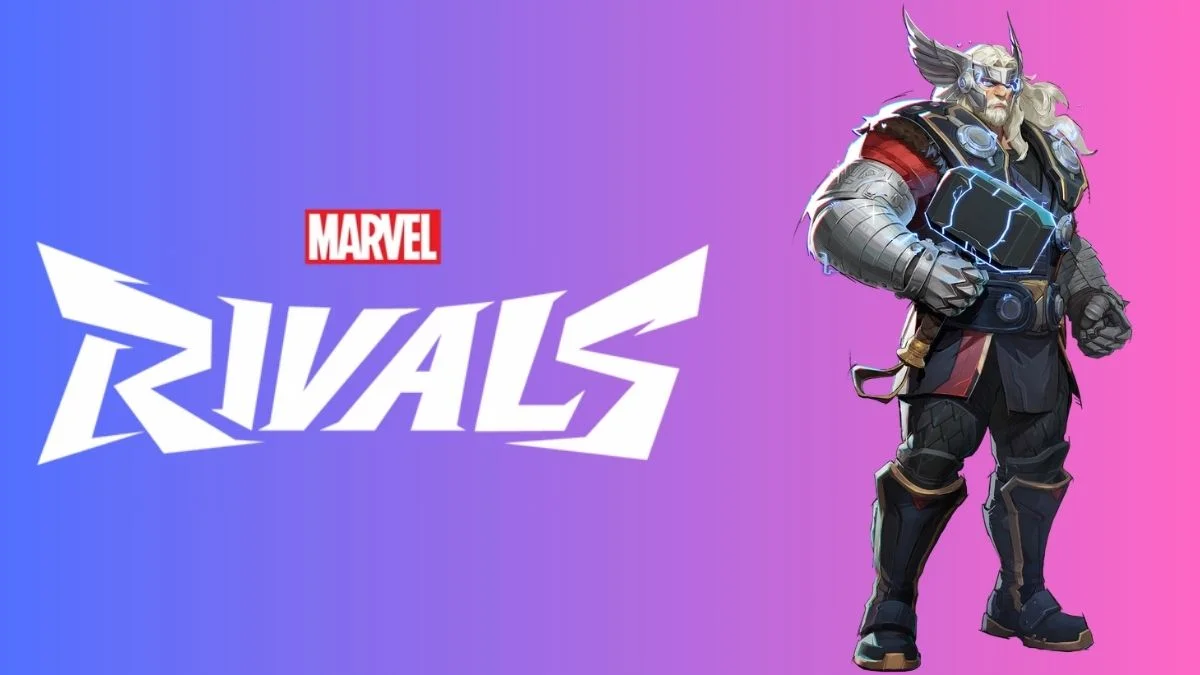
The Thor Lord of Asgard skin has finally arrived in Marvel Rivals, giving players a legendary new look for the mighty Avenger. This Epic rarity skin was released as part of the Hellfire Gala event in Season 2, drawing inspiration from Thor (1998) #60.
The result? A battle-ready Thor, fully armored as the King of Asgard, rocking a glowing-eyed helmet and armor fit for a god.
Want to unlock this stunning skin? Here’s everything you need to know.
Thor Lord of Asgard Skin – Bundle Details
This Epic rarity skin isn’t just about looks it comes with exclusive cosmetics to enhance your Marvel Rivals experience.
The Thor Lord of Asgard Bundle Includes:
- Lord of Asgard Thor Epic Skin
- Exclusive Thor Emote
- Custom Thor Nameplate
- Unique Thor Spray
If you love playing as Thor, this is a must-have bundle.
How to Get the Thor Lord of Asgard Skin in Marvel Rivals
There are two ways to get the Thor Lord of Asgard skin:
- Buy the full bundle (which includes extra cosmetics).
- Purchase just the skin if you’re not interested in the extras.
Thor Lord of Asgard Skin – Price & Purchase Options
Bundle Price: 1600 Units (includes all cosmetics)
Skin-Only Price: 1400 Units (just the skin)
How to Get Units in Marvel Rivals:
- Earn them by completing in-game challenges & achievements
- Purchase them directly from the in-game store
Step-by-Step Guide to Unlocking the Skin
Here’s how to equip your Thor Lord of Asgard skin in just a few clicks:
- Open Marvel Rivals and go to the Store menu
- Look for the Thor Lord of Asgard bundle in the Featured section
- Select either the full bundle (1600 Units) or the skin-only option (1400 Units)
- Click Confirm to complete the purchase
- Go back to the Main Menu, then open the Heroes tab
- Find Thor, go to Customization, and select Thor Lord of Asgard
And that’s it! Now you’re ready to dominate the battlefield in true Asgardian style.
Also Read: Inside Serpzilla’s Strategy: A Conversation With CCO Egor Golovin On SEO Trends And Global Expansion
